




Technology at WSA
Home » Student Life »
Using Technology with Purpose
Technology is an important part of learning at West Sound Academy, but it is a tool, not the focus of the classroom.
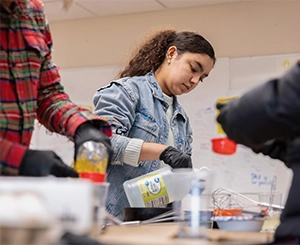
Students use technology when it enhances learning: to research, create, collaborate, analyze information, communicate ideas, and access resources that extend what is possible in the classroom. At the same time, many of the most important parts of a WSA education happen without a screen through discussion, experimentation, hands-on work, reading, writing, creating, performing, and connecting with other people.
Our goal is to help students develop the judgment to know not only how to use technology, but when and why to use it.
Technology for Learning
Across subjects, students use digital tools in different ways depending on the learning taking place. Technology might support students as they:
- Conduct research and evaluate sources
- Write, revise, and collaborate
- Analyze data and model ideas
- Create presentations, media, art, music, and other original work
- Communicate and collaborate with teachers and classmates
- Organize assignments and manage long-term projects
- Access course materials and feedback
Teachers determine when technology supports a particular learning goal and when another approach is more effective. A laptop may be essential for one activity and closed for the next.
Bring Your Own Device
West Sound Academy has a Bring Your Own Device (BYOD) program. Students in grades 6–12 are expected to have a laptop available for use at school and at home.
Families provide their student's laptop. A variety of devices can meet WSA's requirements, allowing families to choose a computer that works for their student and their budget while meeting the school's minimum specifications. Students should bring their laptop to school each day charged and ready for use.
Students should bring their laptop to school each day charged and ready for use.
For current device requirements, recommendations, and other technical information, please review our complete BYOD guidelines.